Using GA4 Enhanced Measurement tracking? Modern code easily breaks it.
A successful form submission in the user interface does not mean your Google Ads conversion was recorded. If your agency relies on GA4 Enhanced Measurement's form_submit event, you might be missing data or recording noise. In the React/Mantine implementation tested here, form_submit failed to fire entirely. On native forms, it fires but counts failed validation attempts. I audit the frontend, eliminate false positives, and ensure a reliable dataLayer implementation—without touching your GTM.
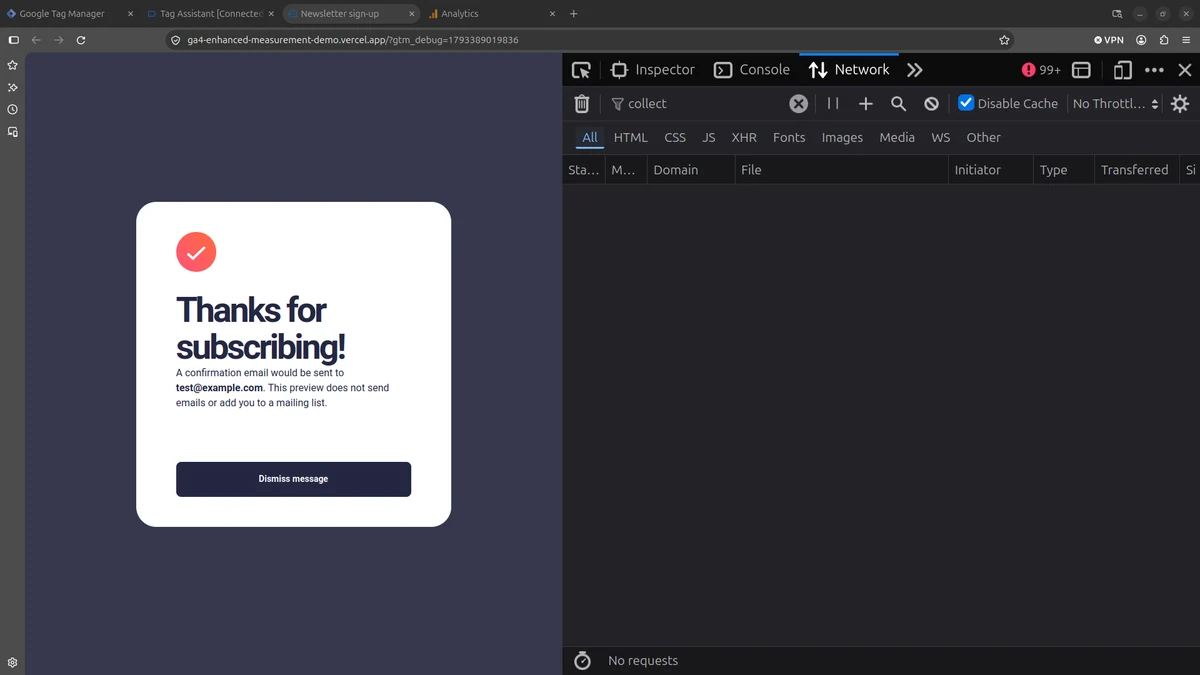
Tracking Plan: Native Enhanced Measurement
To establish a reliable baseline for this implementation, the scope was limited to GA4's native Enhanced Measurement events. Here are the events in scope, based on Google's official definitions:
| Event (EM) | Description |
|---|---|
form_start | A meaningful interaction with a form, as defined by GA4 Enhanced Measurement. |
form_submit | A native browser form submission. |
Part 1: Fixing conversion noise on native forms
The compliance layer: Protecting PII before it reaches your tracking
The initial HTML form used the default GET method, appending the email to the URL. This is a critical risk: if tracking tags collect this URL, it sends PII to Google, violating Google Ads policy and risking account suspension.
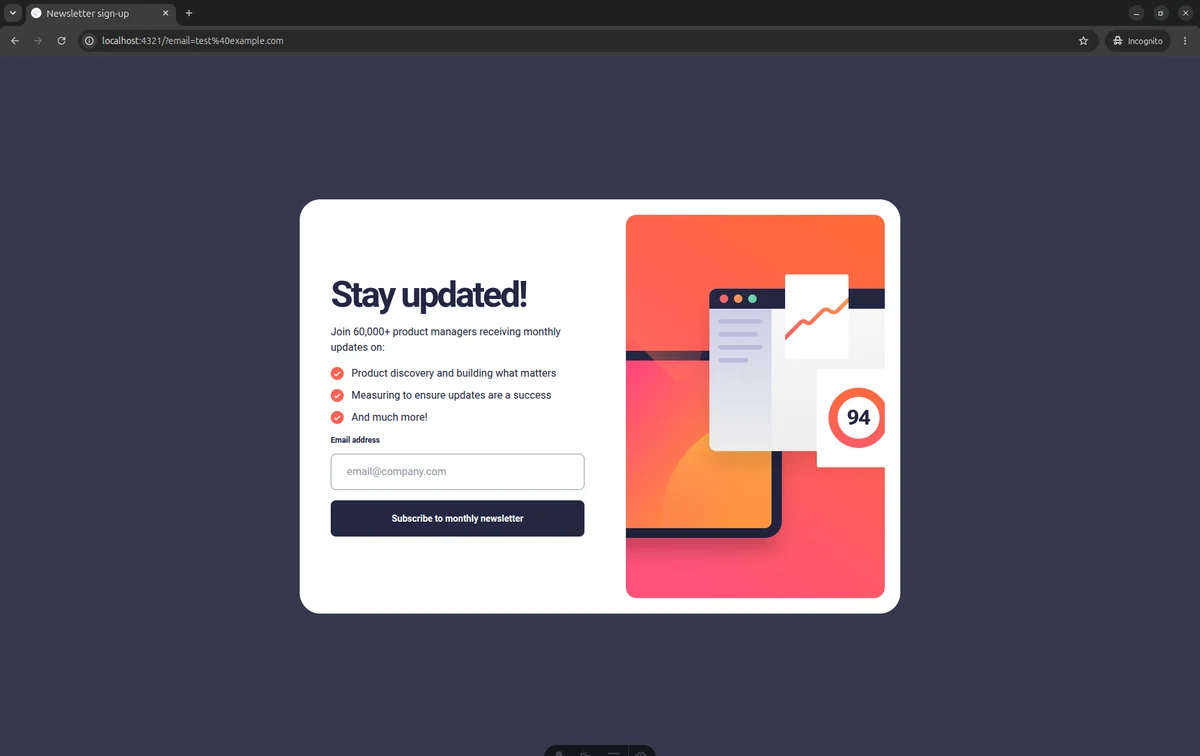
?email=test%40example.com), making it visible to any analytics tag.Removing duplicate attribution and false positives with Post/Redirect/Get
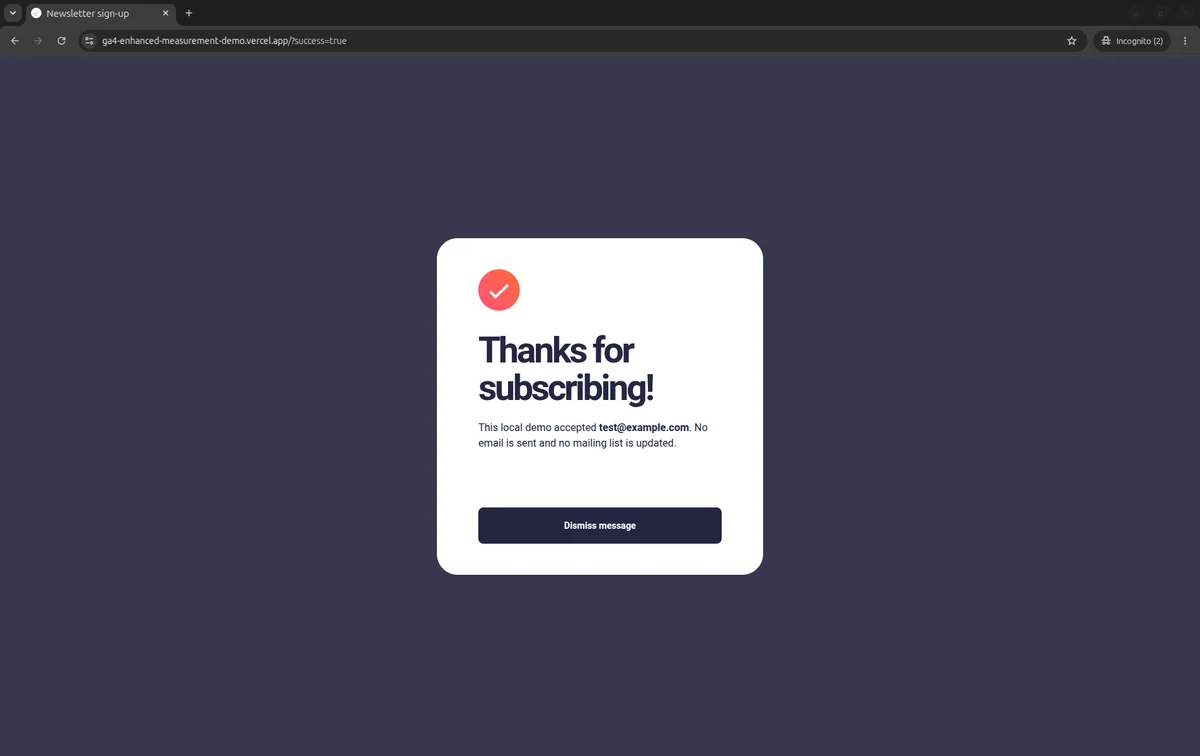
I switched to POST and implemented the Post/Redirect/Get (PRG) pattern. The server validates the POST, then redirects to /?success=true. This removes the email from the URL. However, a new issue appeared: the browser still emitted a native form_submit event even when the email was invalid and the server rejected it.
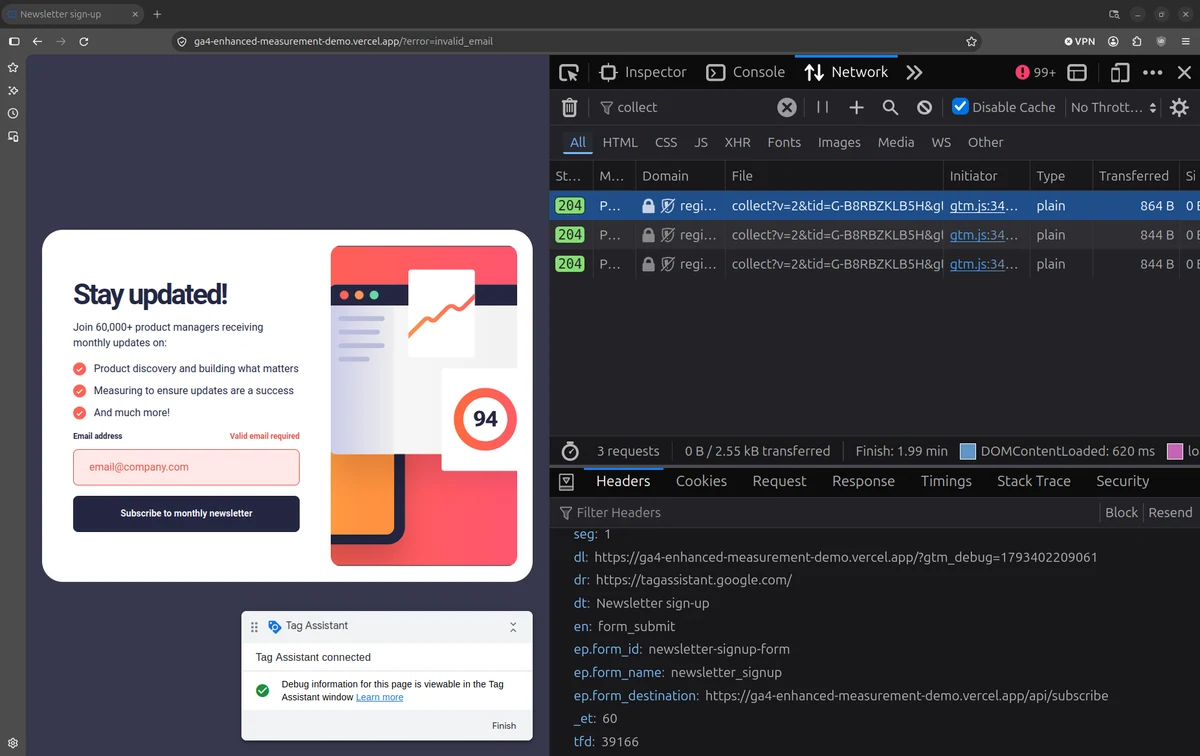
en: form_submit.Sanitizing the signal: Blocking invalid conversions before they fire
To ensure form_submit only fires on valid attempts, I added client-side Zod validation in the browser to block invalid requests before submission. Because browser checks can be bypassed, the server also validates every POST request with Zod before executing the 303 redirect. The URL remains completely clean. Client-side validation blocks format errors. But remember: form_submit only measures an attempt. If the server rejects a valid request (e.g., a 500 error), the browser still fired form_submit. This is why a custom success event must fire after a 200 OK response.
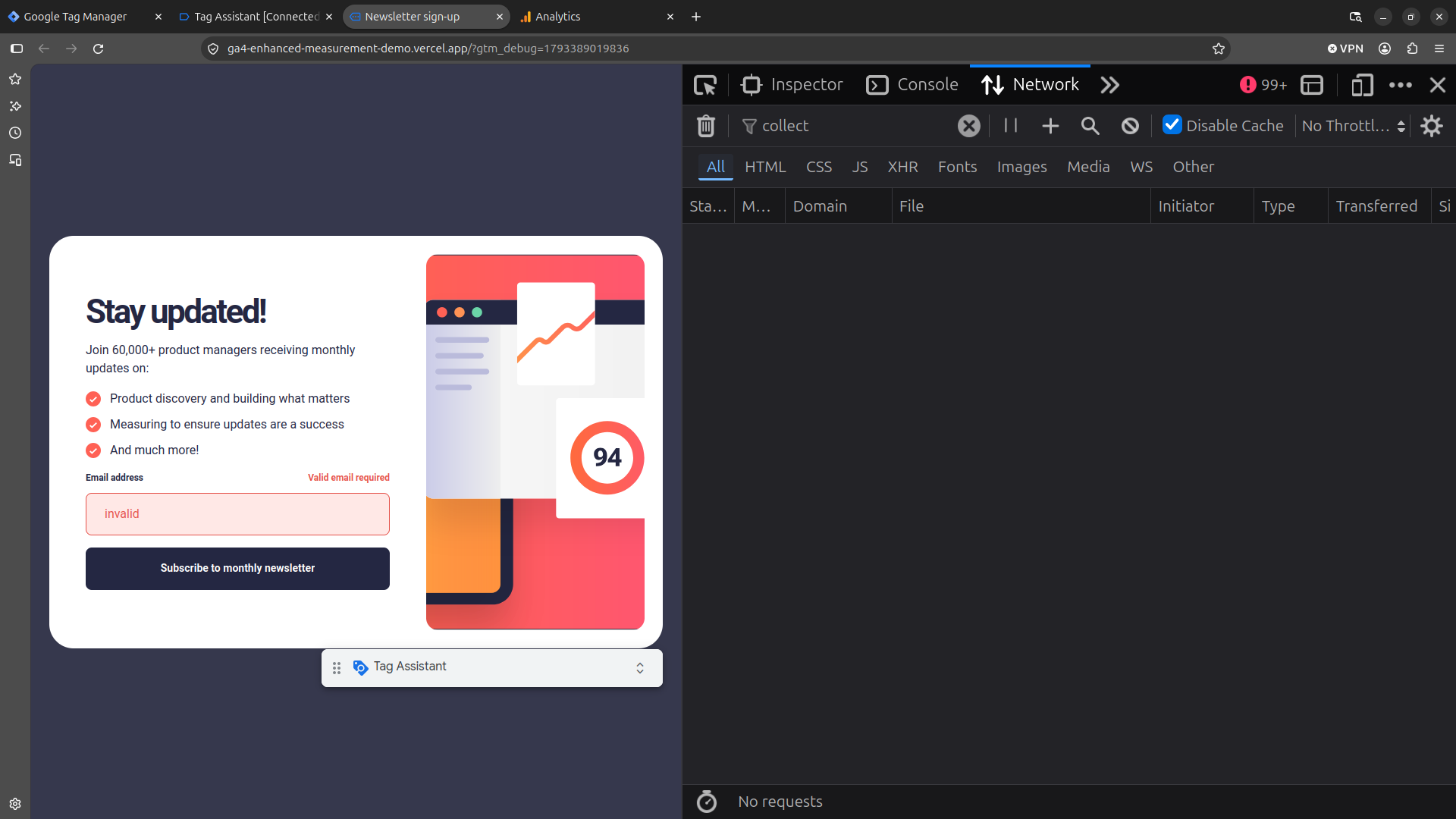
form_submit events.Part 2: Fixing missing events on React forms
A success message in the interface does not by itself confirm that a Google Ads conversion was measured. The captures below follow the form interaction through Network, GTM Tag Assistant, and GA4 DebugView.
What I observed in the React/Mantine test: The form displayed a success dialog. A technical detail about Enhanced Measurement emerged here:form_start did not fire on focus or blur. It fired only when I typed a character (keypress). Network showed this form_start request, but after the successful submission, no form_submit request was sent. GTM Tag Assistant confirmed other hits, and GA4 DebugView recorded form_start with field parameters, but no form_submit.
form_submit request.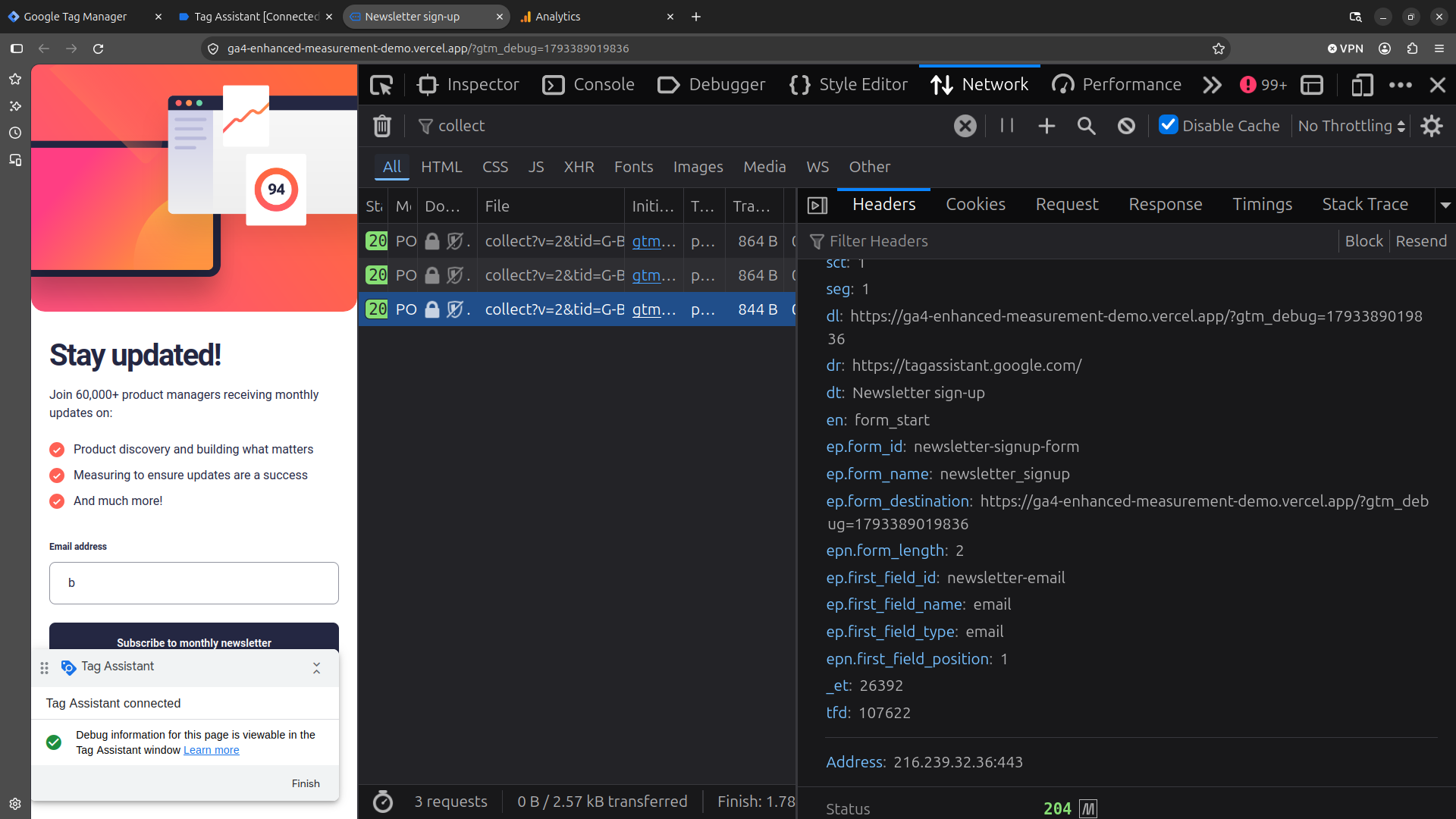
form_start was sent when the user typed, proving the Google Tag was active.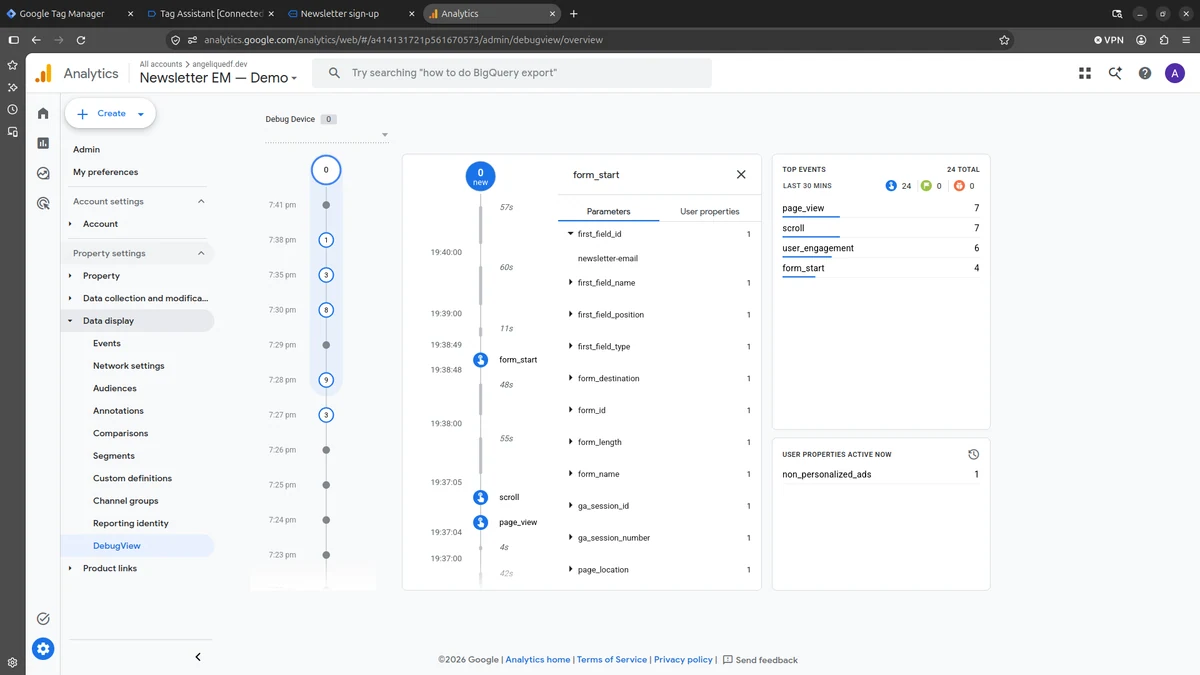
form_start) but the submission event (form_submit) is completely absent.View additional technical evidence (Tag Assistant & parameters)
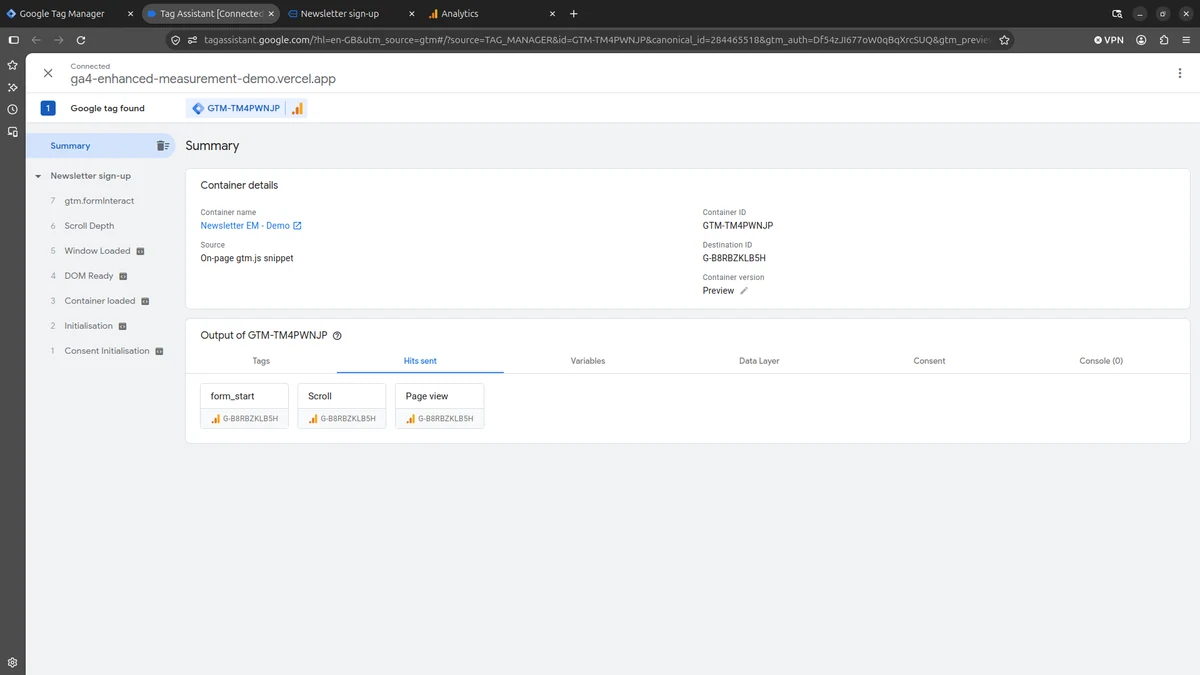
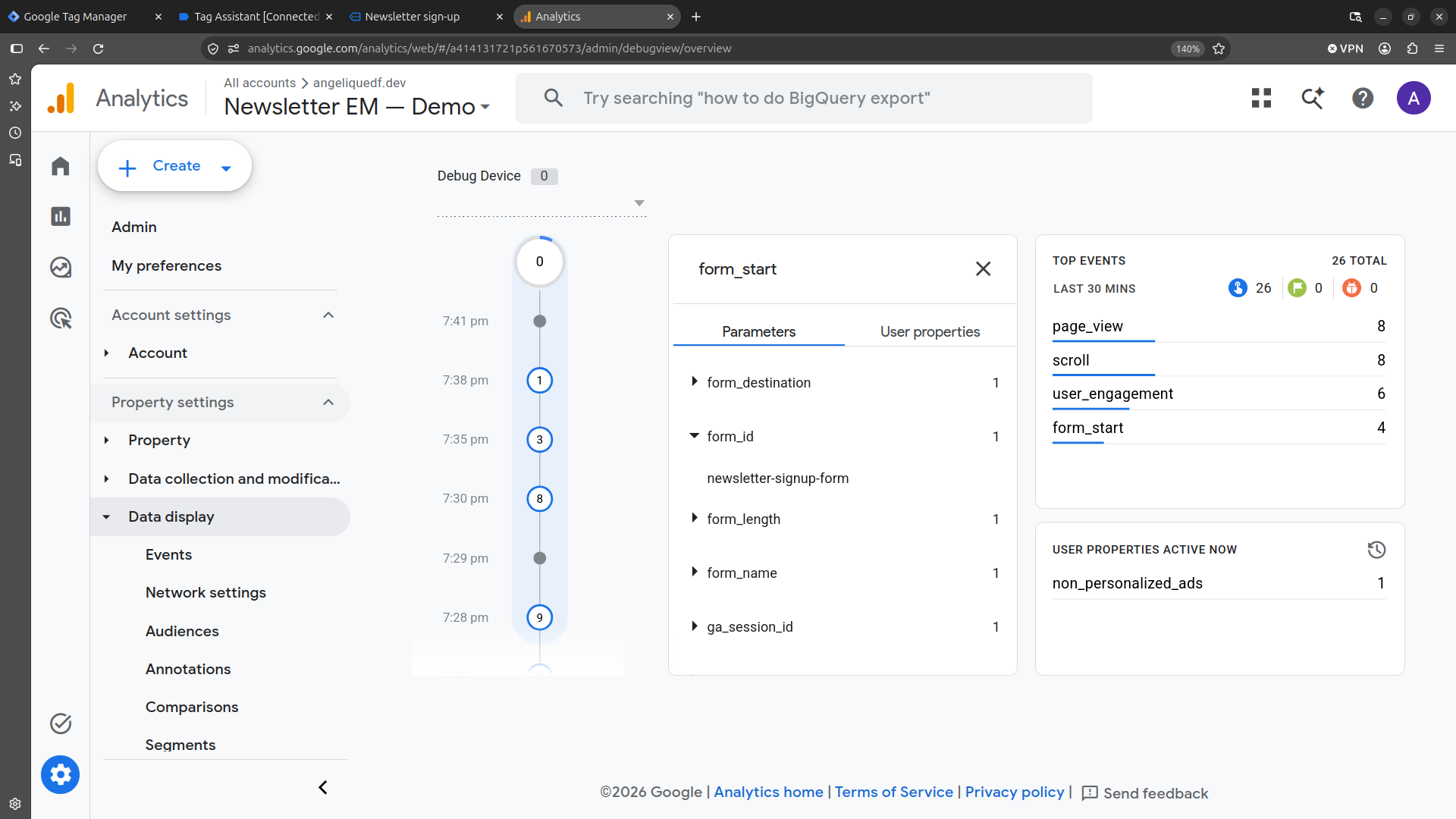
form_start with its field parameters.Note: These captures document the observed behavior in this test; they do not establish that one specific framework or event handler is the universal cause. Apply the same Network, GTM, and GA4 DebugView checks to each form implementation, whether it uses native HTML, Astro, React, or an AJAX-based WordPress plugin.
The technical partner advantage
A landing page is just code. A reliable dataLayer is the business asset. My role is to implement the form architecture, secure PII, and verify the signal at the network level. When JavaScript frameworks break native tracking, I document exactly what is missing. You keep full control of your GTM container and your Google Ads conversion setup.
Frequently asked questions: GA4 form tracking
Does Post/Redirect/Get prevent false conversions?
Not by itself. PRG redirects a POST to a result page loaded with GET, so refreshing the page does not repeat the POST. GA4 may still collect form_submit for failed attempts. A conversion needs a separate rule tied to confirmed success, with duplicate counting prevented.
Did React cause the missing form_submit event?
The tested React/Mantine implementation recorded form_start but no form_submit after valid or invalid attempts. The captures do not establish that React or preventDefault() alone caused the missing event. Each form implementation needs its own measurement checks.
Can personal data leak from forms on any platform?
Yes. A GET submission can put personal data such as an email address in the URL, and even a POST form can expose it through a confirmation redirect. Use POST for personal-data submissions and keep that data out of every redirect and tracking event.
What does this demo not do?
The native demo has server-side input validation and a confirmation flow, but creates no real newsletter subscription or confirmed business lead. Consent Mode, a custom success event, and an end-to-end Google Ads conversion import are not demonstrated here. The design reference is Frontend Mentor. The implementation and tracking analysis are Angélique D. Faye’s work. The demo is a technical baseline, not a claim about campaign performance.
How I work with Google Ads specialists
Step 1: Share the brief
Your designer supplies the approved design. The brief includes your audience, offer, ad promise, final copy, call to action and GTM container ID.
Step 2: I build the landing page
You get a responsive page built to the approved design and campaign brief, with your GTM container installed site-wide and the agreed page events in place.
Step 3: Configure your tracking
Your team configures tags, triggers and conversions in its GTM dashboard; I don’t need access. I check that page events fire, and you verify the tags in GTM Preview.